
See your floor transformed
before we lift a board
Upload a photo of your room and explore how different floors and finishes will look in your space.
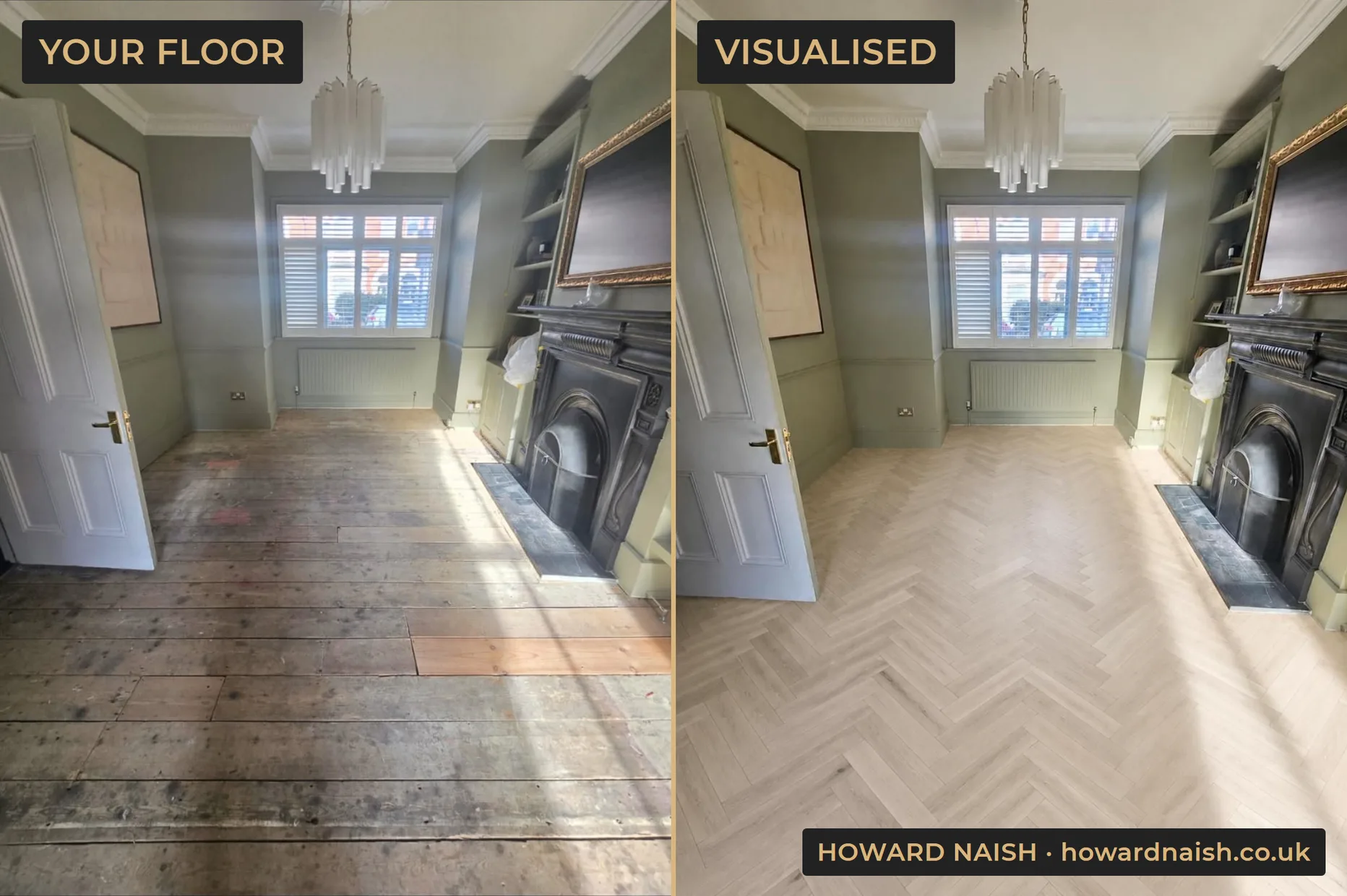
Left, one of our own jobs photographed on a phone. Right, the same room in the visualiser's unfinished oak, laid in herringbone.
Start with a photo of your room
The visualiser puts any of our floors, colours and finishes onto a photo of your own room.
Your first visualisation is free. Enter your email to start.
Had a site visit? Enter your personal code here.
No personal code yet? Book a free site visit and it's yours. Your details are only ever used by Howard Naish.
How the wood floor visualiser works
- Upload a photo of your room. A normal phone photo is all it takes: stand in the doorway, get as much of the floor in frame as you can.
- Choose a floor or finish. Browse the same engineered wood colours, stains and finishes we fit and use on real jobs across South London, from pale Scandi tones to deep smoked oak.
- See your room transformed. The visualiser redraws your photo with the new floor in place: a side-by-side before and after you can save or email to yourself.
It works both ways: see a brand-new floor installed in your room, or see your existing floorboards sanded back and refinished in a different stain or lacquer. That makes it just as useful whether you're planning a full installation or wondering what your tired boards could become.
Visualiser questions, answered
What is a wood floor visualiser?
It's a tool that shows you your own room with a different floor. You upload a photo, pick a wood colour or finish, and the visualiser redraws your photo with that floor in place. It takes the guesswork out of choosing between samples.
Is the visualiser free to use?
Yes. Your first visualisation is free: just enter your email and we'll send you a one-time code to confirm it's really you. Every free site visit comes with a personal code that unlocks ten more, so you can compare floors properly.
Can I see my existing floorboards sanded and refinished, or only new floors?
Both. Switch to sanding mode and the visualiser shows your current boards restored and refinished in your chosen stain or lacquer, rather than replaced. If you're weighing up restoration against a new installation, run one of each and compare.
What kind of photo works best?
A straight-on shot from the doorway in daylight, with as much floor visible as possible. Ordinary phone photos are fine. The more floor the visualiser can see, the more convincing the result.
How accurate are the colours?
Treat them as a close guide, not a promise. Screens, room lighting and the AI all shift colour slightly. For the real thing, book a free site visit and we'll bring samples to your door: the actual boards, in your light, on your floor.
What happens to my photo and email address?
Your photo is used only to create your visualisation: it is processed by OpenAI, our AI image provider, to create the image, and it is never saved to our systems or seen by our team. Your email is only ever used by Howard Naish, and only so we can help with your floor.
Found a floor you love? The next step is seeing the real boards in your room.
Book a Free Site Visit